Whether you’re building experience toward an ATP certificate or preserving decades in the cockpit, eFlightLog brings the details together—so you can spend less time adding columns and more time looking ahead.
Every flight. Every detail.
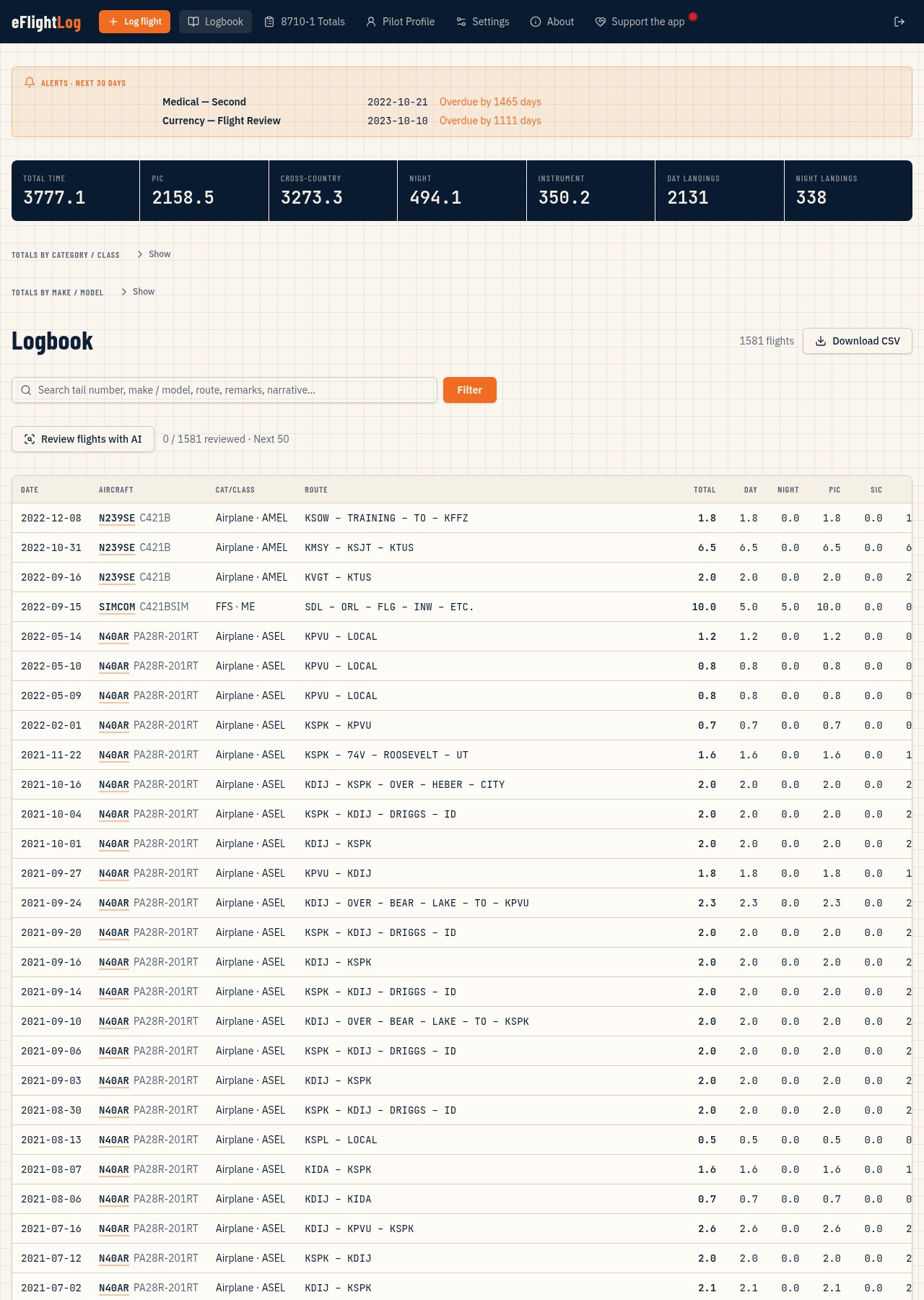
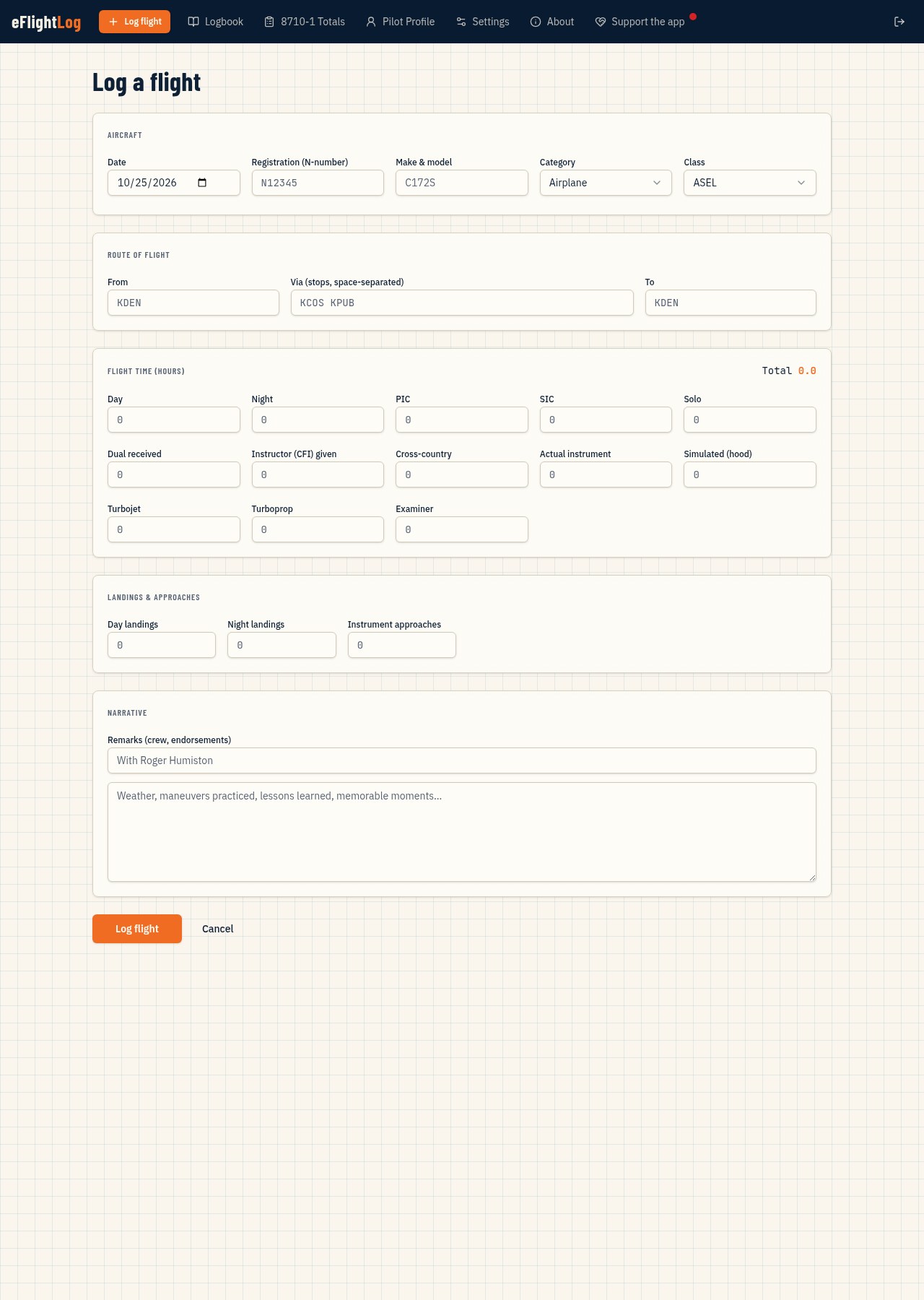
Record aircraft registration, make/model, category and class, airport routes, day and night hours, landings, PIC, SIC, solo, instruction and simulator time. Keep the story alongside the numbers with remarks and a free-form narrative.
See your experience add up
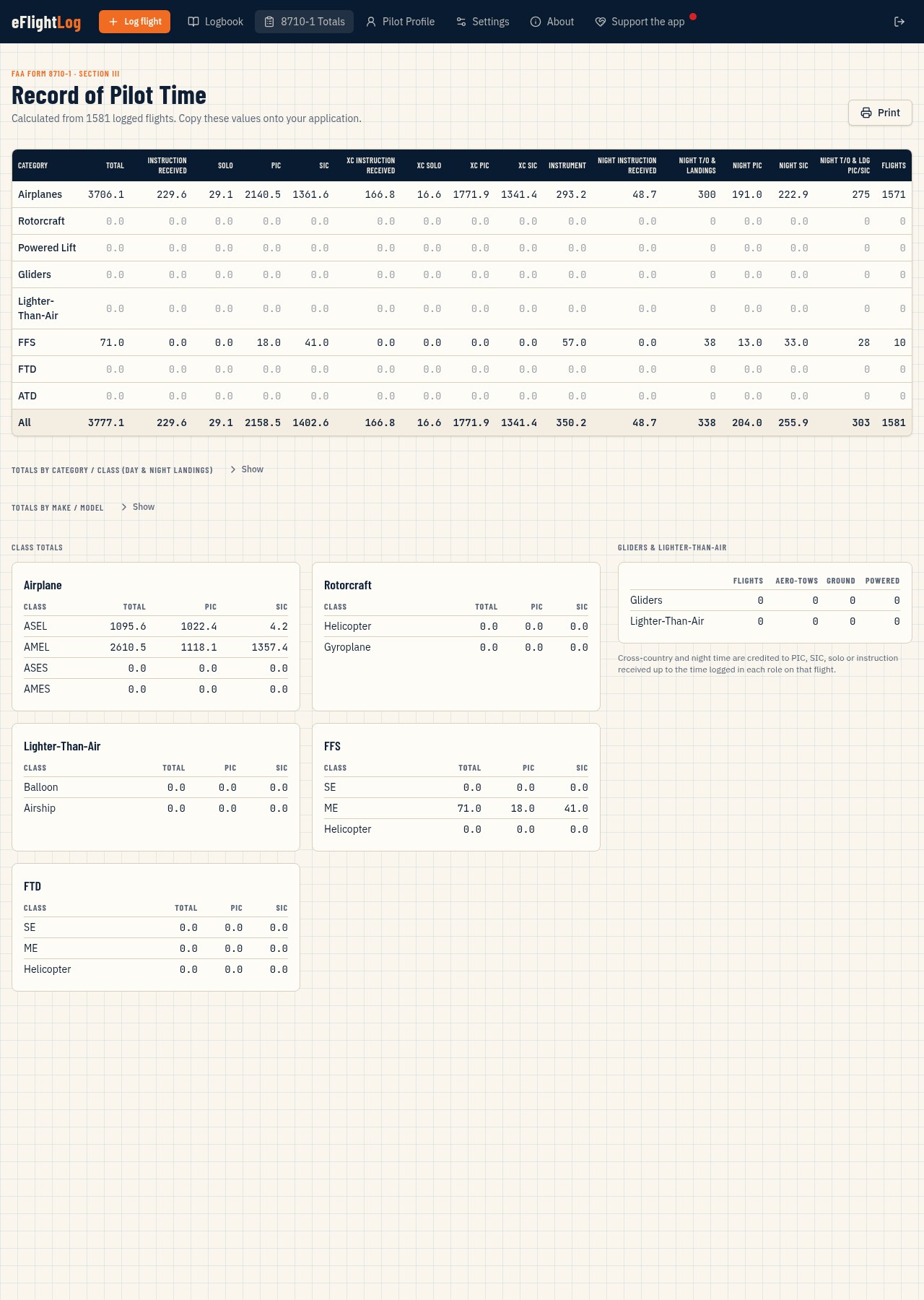
Bring your recorded time together in FAA Form 8710-1 Section III totals. Separate day and night landings, compare category/class and make/model totals, and click an aircraft group to see the flights behind the numbers.
Find the flight you remember
Search tail numbers, make/model, routes, remarks and narratives. Apply your search when you’re ready, or select a registration to revisit every flight in that aircraft.
Keep important dates in sight
Track medical class, received and next-due dates, Flight Reviews, Instrument Proficiency Checks, simulator events and your own currency categories. Overdue and next-30-day alerts appear right in the logbook.
Your qualifications, together
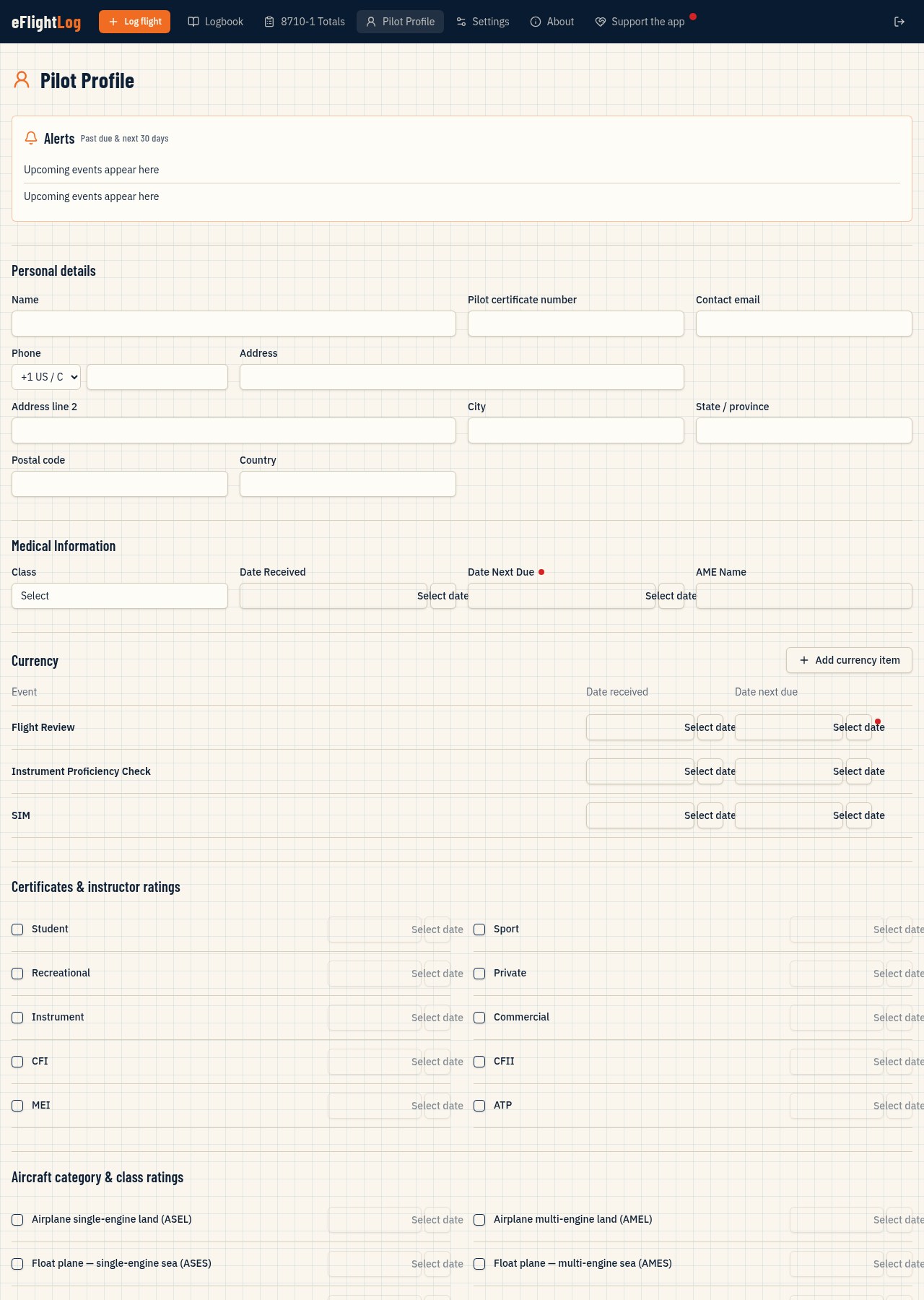
Keep certificates, category/class ratings, earned dates and aircraft type ratings in your Pilot Profile, alongside contact and medical information. Your flying career has one organized home.
A second look—not a second pilot
On-demand AI reviews flag potentially inconsistent hours and missing details with short explanations. Findings are advisory: nothing changes automatically, and you confirm any correction before it is saved.
Your record goes with you
Download your complete logbook as a spreadsheet-ready CSV, including recorded hours, landings, routes, remarks and narratives. Use eFlightLog in your browser on a computer, phone or tablet.
Built around your flying
Customize picklist choices, add currency categories and keep historical records readable. Your private pilot records stay tied to your own signed-in account.
Your logbook supports your recordkeeping; it does not replace FAA eligibility requirements, official certification review, or the pilot’s responsibility for accurate entries.
A closer look
Inside eFlightLog
The Logbook brings flight history, searchable records, hour totals and upcoming alerts together in one view.FAA Form 8710-1 time totals organize recorded experience by category and class, with separate day and night landings.Pilot Profile keeps contact details, certificates, ratings, medical information and currency dates together. Personal information is blanked in this screenshot.Log each flight’s aircraft, airport route, hours and landings, then preserve the experience in remarks and a free-form narrative.
Built for pilots. Supported by pilots.
eFlightLog is free to use. Voluntary contributions help Mojave Capital LLC support ongoing development and hosting, so this logbook can keep growing with the pilots who use it.